Rent due.
Payments in.
Records clear.
TallyDue helps teams review rent charges, invoices, balances, payments, references, receipts, and reports without separating finance work from tenant and unit records.

Collection starts with clean records
Before a manager follows up, TallyDue helps the team check what was charged, what was invoiced, what was paid, and what still needs review.
Take a look around.
Explore rent charges, invoices, and payment records with live demo records. The full app opens in a new tab.
Inside TallyDue
Explore the TallyDue workspaces.
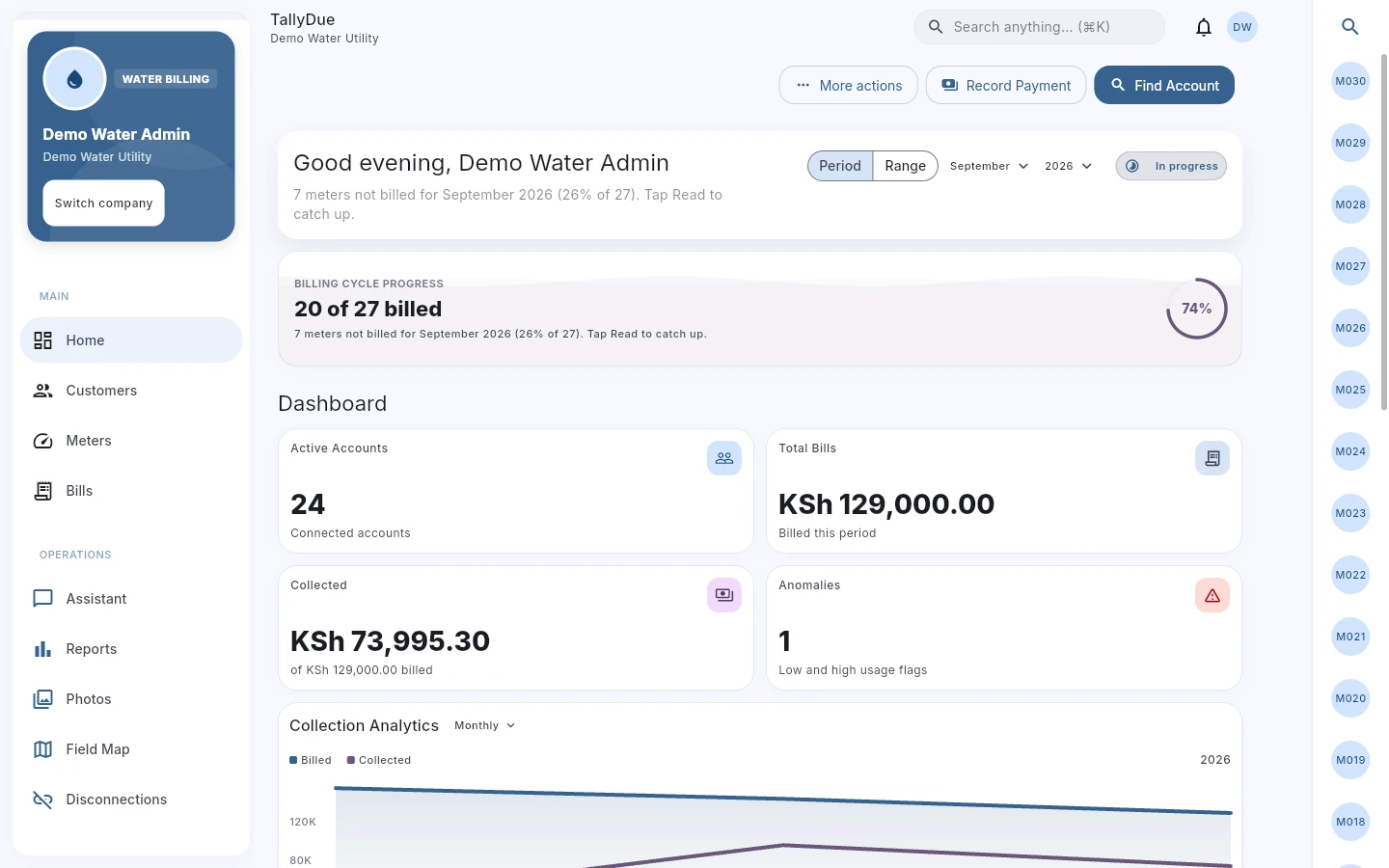
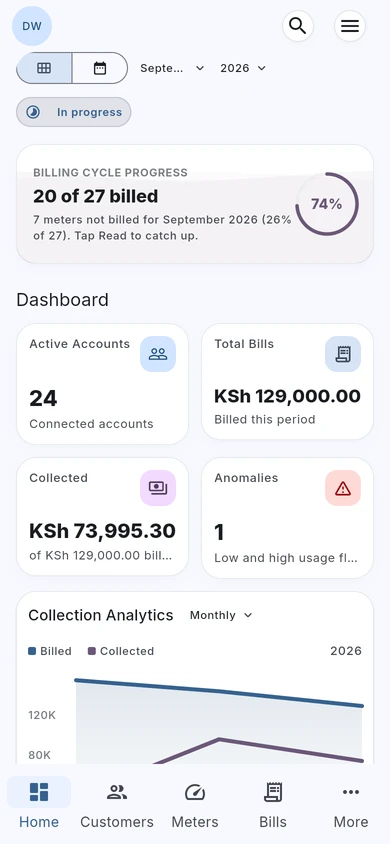
Water billing, with the full picture.
Review billing progress, amounts billed, collections, and consumption alerts from the water dashboard.
Actual TallyDue web app · Demo data
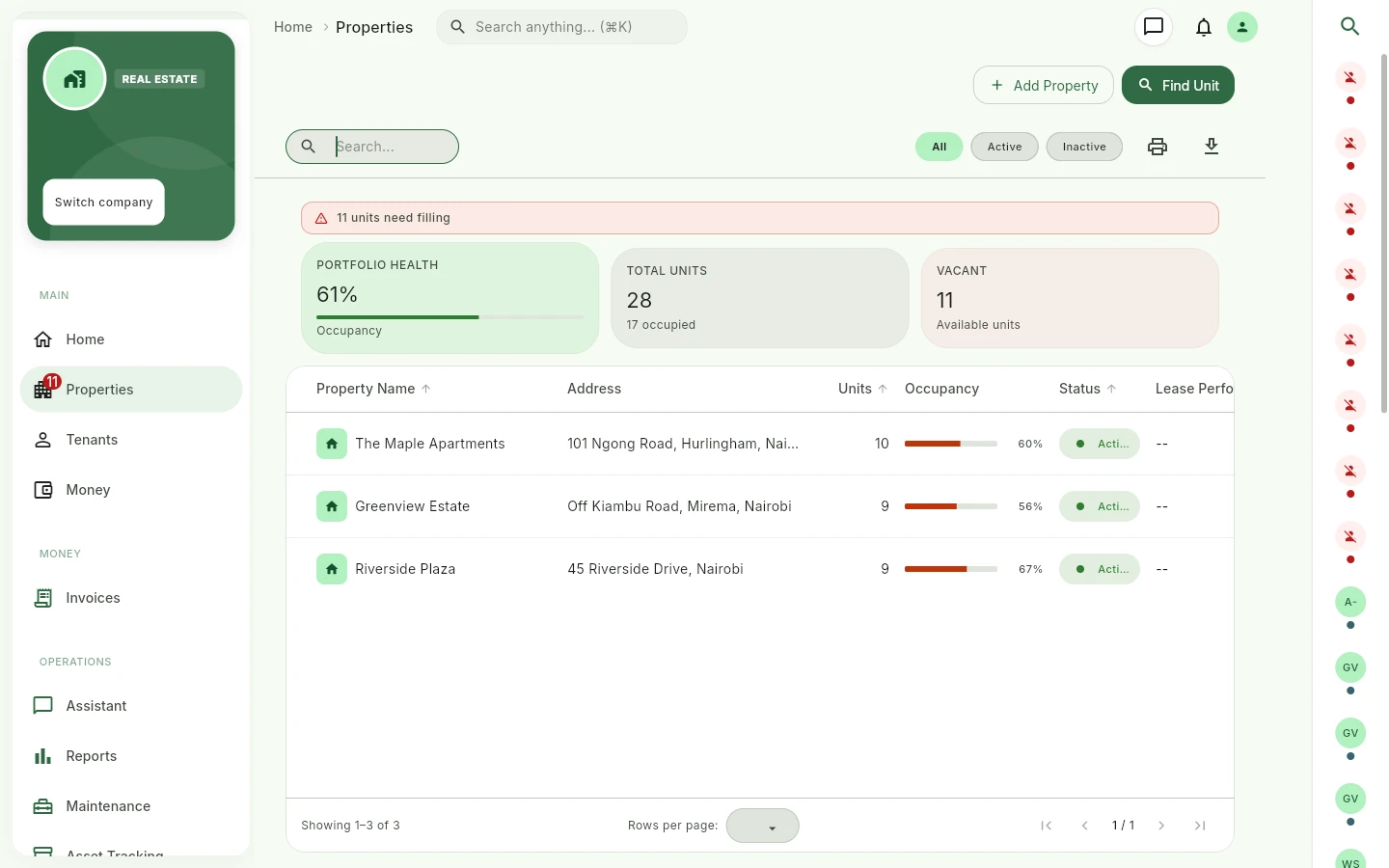
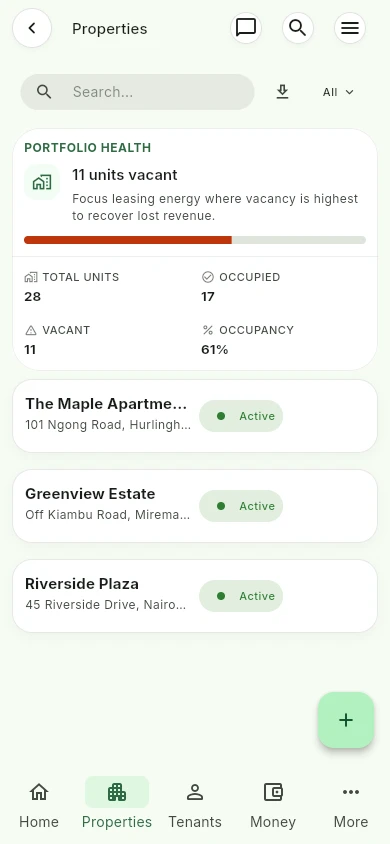
See every property in one view.
Review properties, occupied and vacant units, and portfolio occupancy before following up with your team.
Actual TallyDue web app · Demo data
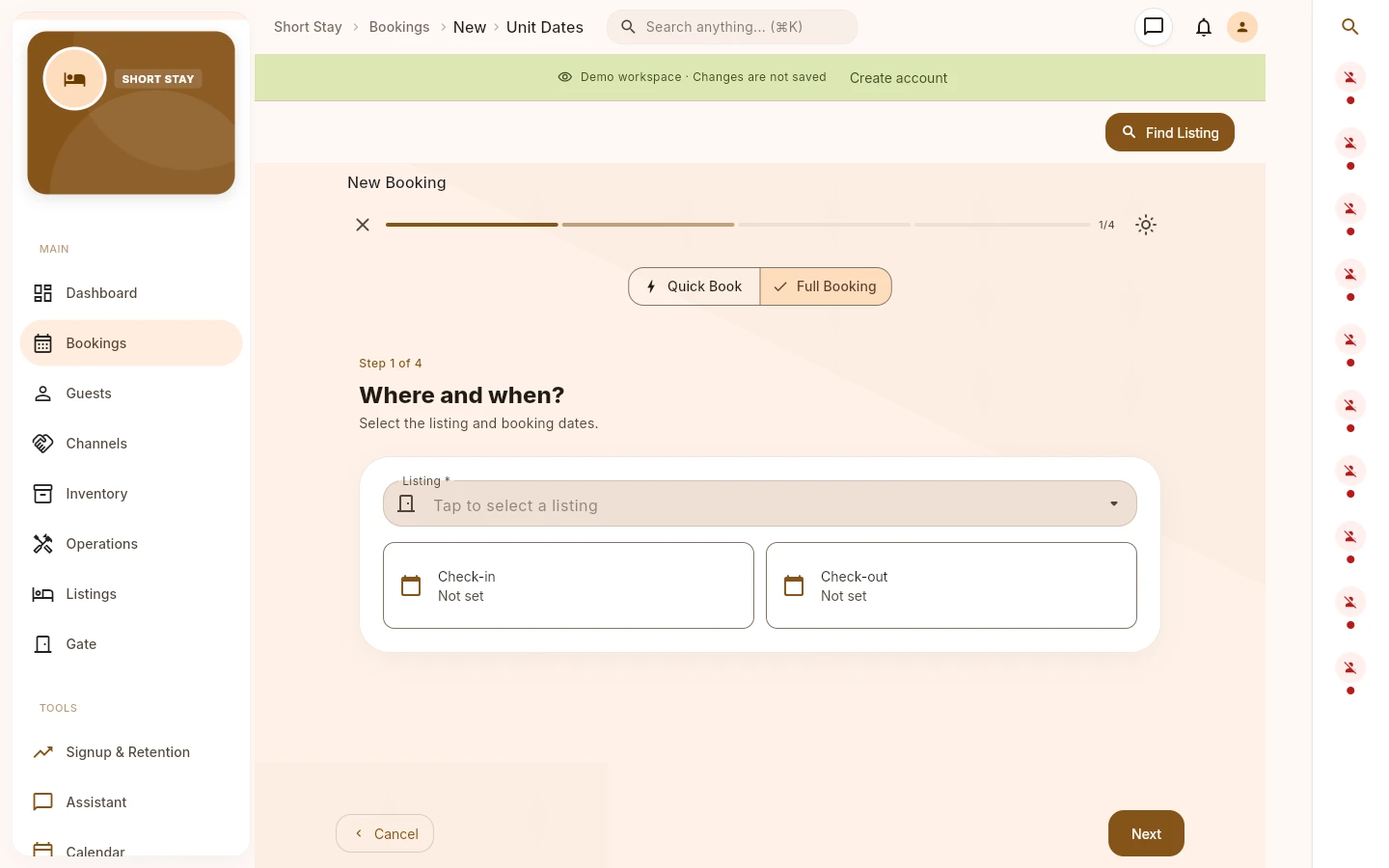
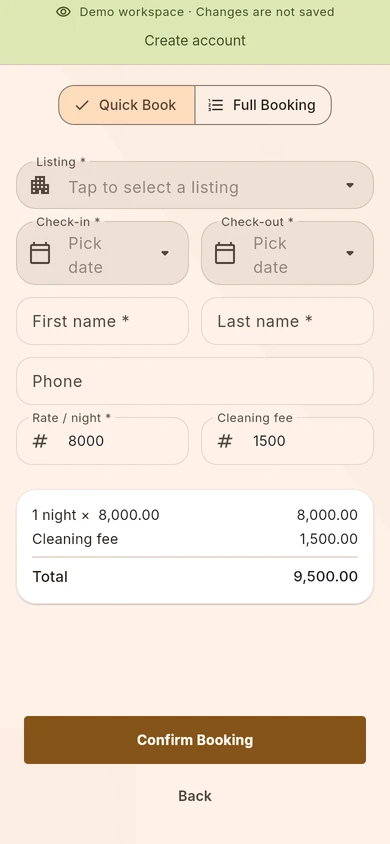
Give every booking a clear start.
Choose a listing and check-in and check-out dates in a guided booking flow, with quick and full booking options.
Actual TallyDue web app · Demo data
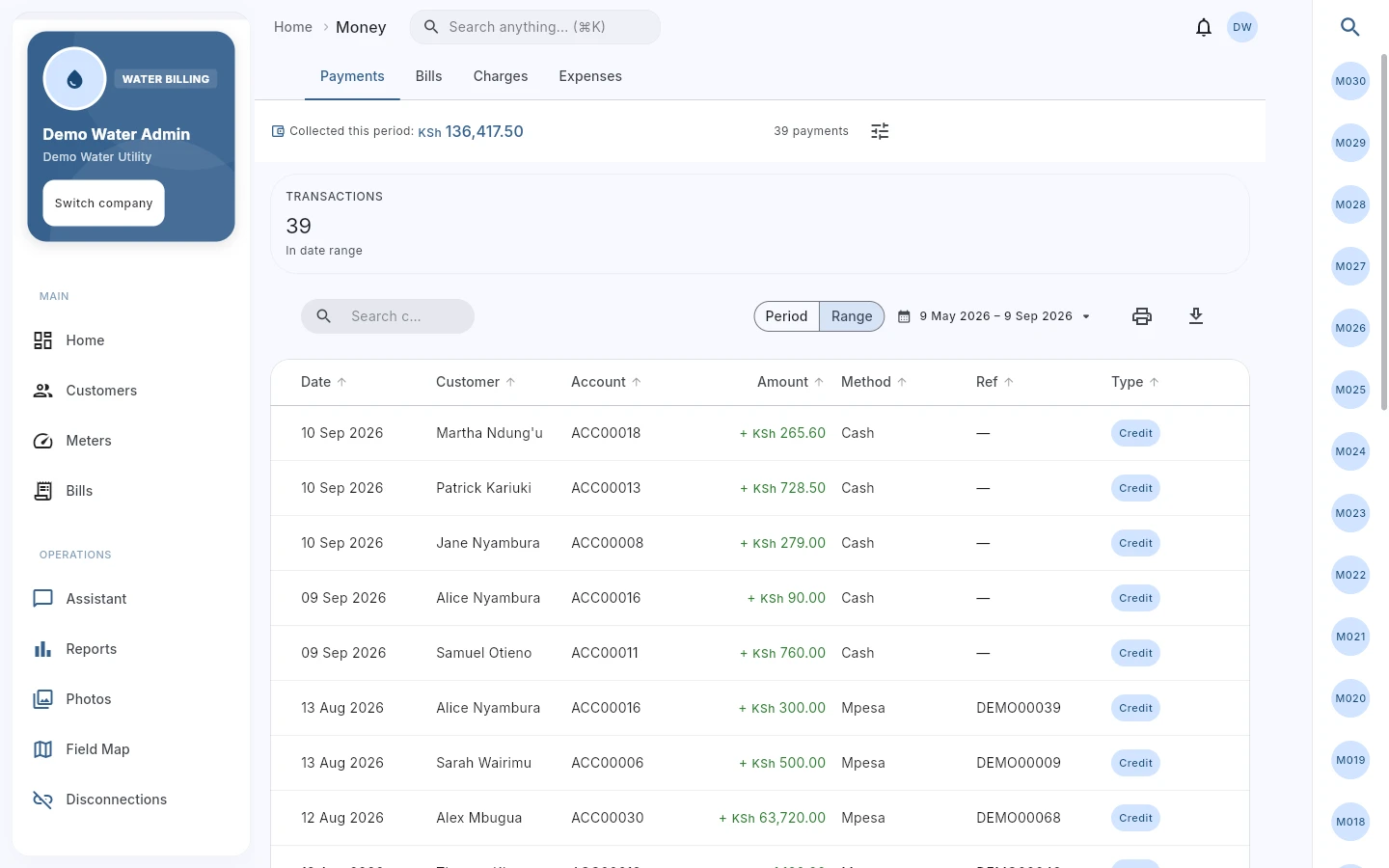
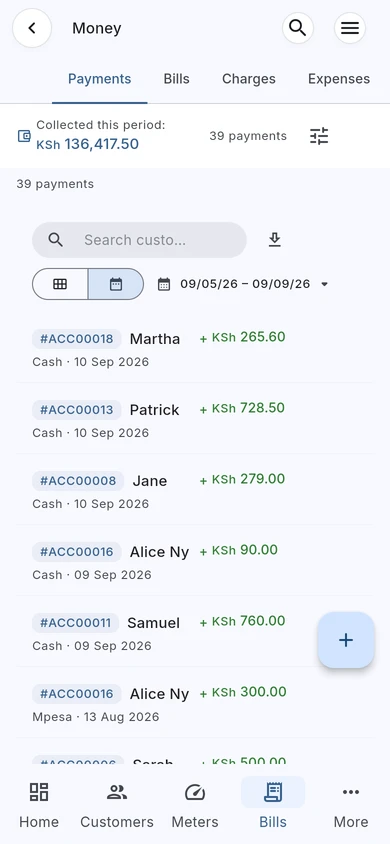
Follow the payment back to the account.
Review payment records and references in Money, with customer and billing context close at hand.
Actual TallyDue web app · Demo data

Why rent teams use it
Rent collection slows down when payments, tenant records, units, and invoices live in different places.
TallyDue connects rent collection work back to the records that explain it. Teams can review billing setups, charges, invoices, payments, and tenant context from the property workspace instead of reconciling everything from message threads.
- See tenant and unit context while reviewing finance records.
- Use charge and invoice views before asking for payment.
- Record payment details with references and methods configured by the company.
- Review payments and balances across a selected date range.
Rent collection workflow
| Billing setup | Create or review rent setup details such as setup name, rent amount, due day, and additional charge items shown by the app. |
|---|---|
| Charges | Review charge description, tenant, property, unit, due date, status, and amount before making changes or follow-ups. |
| Invoices | Check previous balance, current charges, penalties, total amount, payments received, and balance due. |
| Payment recording | Record a payment from Money, tenant, lease, or invoice context where the user role allows it. |
| Payment review | Review tenant, unit, amount, method, reference, and status before issuing receipts or reporting. |
| Follow-up | Use balances and status views to decide which accounts need attention and which records are already settled. |

Why teams move off spreadsheets
Missed follow-ups become expensive. When rent records are split across spreadsheets and chat, it is harder to know which balance is real.
Disputes need evidence. A tenant balance is easier to explain when the charge, invoice, payment reference, and receipt history are visible.
Small rollouts reduce switching risk. A team can start by checking one property or a small set of tenants before moving more records into the system.
TallyDue for iOS, Android, and web
At your desk.
On your phone.
With your team.
Keep rent charges, balances, and payment records within reach. Your team can access TallyDue on iPhone, Android, or the web when following up on rent.
iPhone & iPad


Scan for the App Store
Android


Scan for Google Play
Show download QR codes
iPhone & iPad
Android
Working from a computer? Open TallyDue on the web ↗
Related pages and guides
Questions rent teams ask
Can TallyDue show payment context?
Yes. Payment records can include tenant, unit, amount, method, reference, and status, depending on the workflow and user role.
Can the same company track water bills?
Yes. TallyDue includes water billing workflows, which helps estates or mixed operations that manage rent and water billing together.
Does this page guarantee a collection rate?
No. Collection outcomes depend on your records, policies, team process, tenants, payment methods, and follow-up discipline. TallyDue provides the system for reviewing and running the work.