M-Pesa payments

Every payment.
A clearer picture.
TallyDue helps teams review payment methods, payment references, water bills, rent invoices, customer accounts, tenant balances, and reports without splitting payment work from billing records.

Payment review needs context
A payment reference is easier to trust when the team can also see the account, bill, invoice, tenant, or unit it belongs to.
Take a look around.
Explore payments, references, receipts, and balances with live demo records. The full app opens in a new tab.
Inside TallyDue
Explore the TallyDue workspaces.
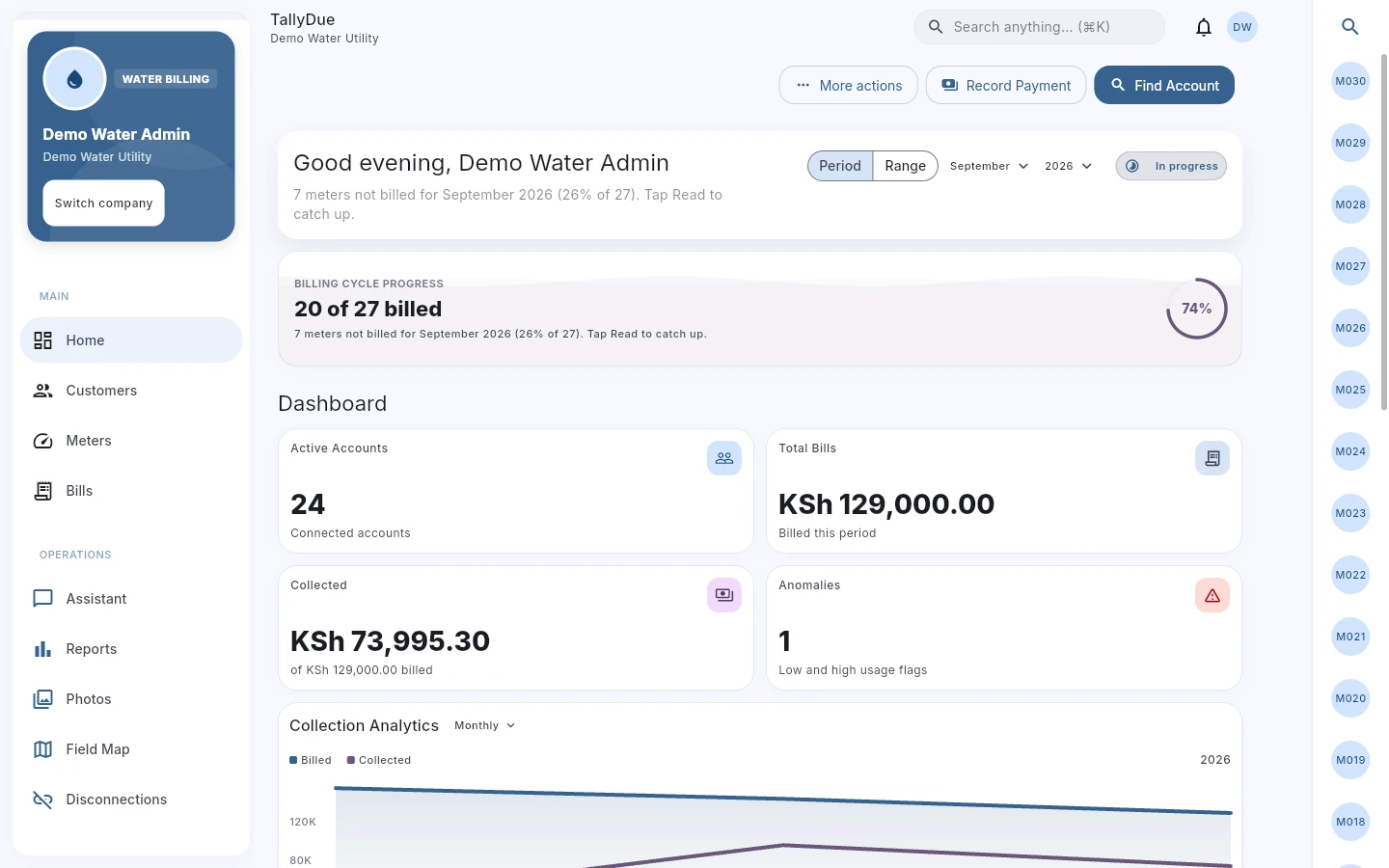
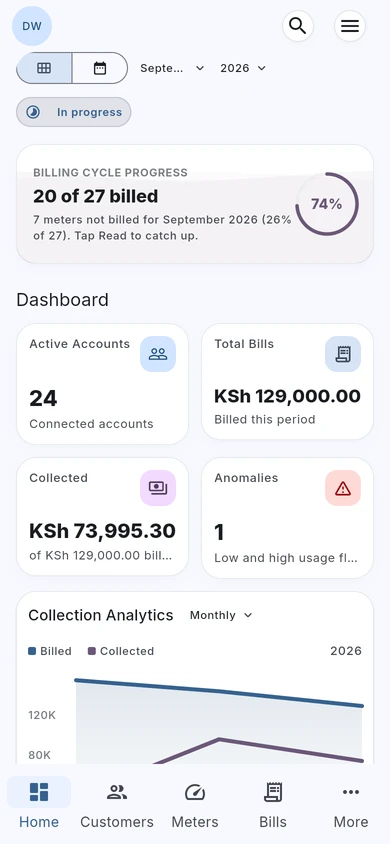
Water billing, with the full picture.
Review billing progress, amounts billed, collections, and consumption alerts from the water dashboard.
Actual TallyDue web app · Demo data
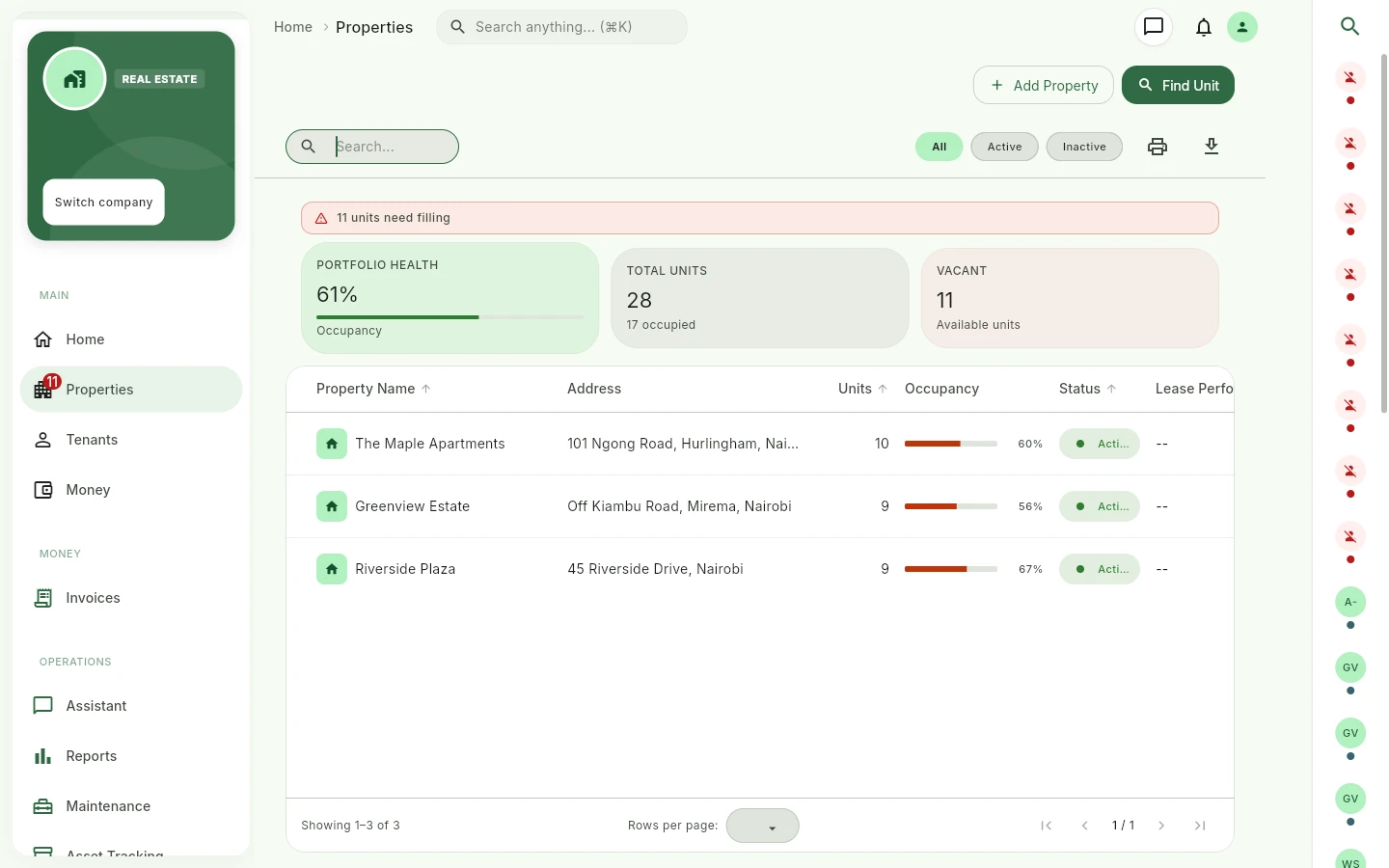
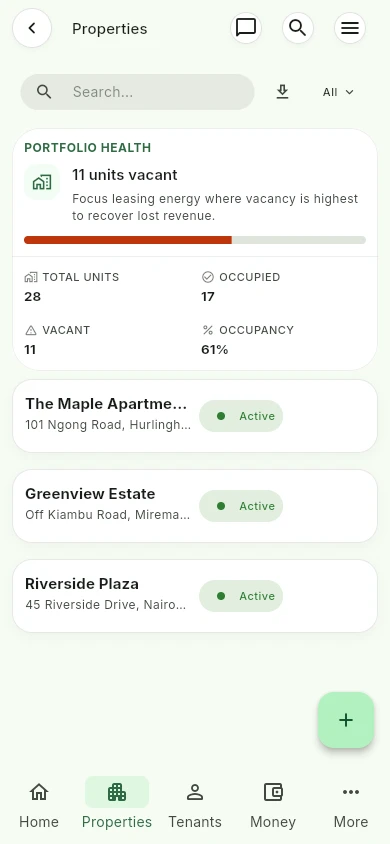
See every property in one view.
Review properties, occupied and vacant units, and portfolio occupancy before following up with your team.
Actual TallyDue web app · Demo data
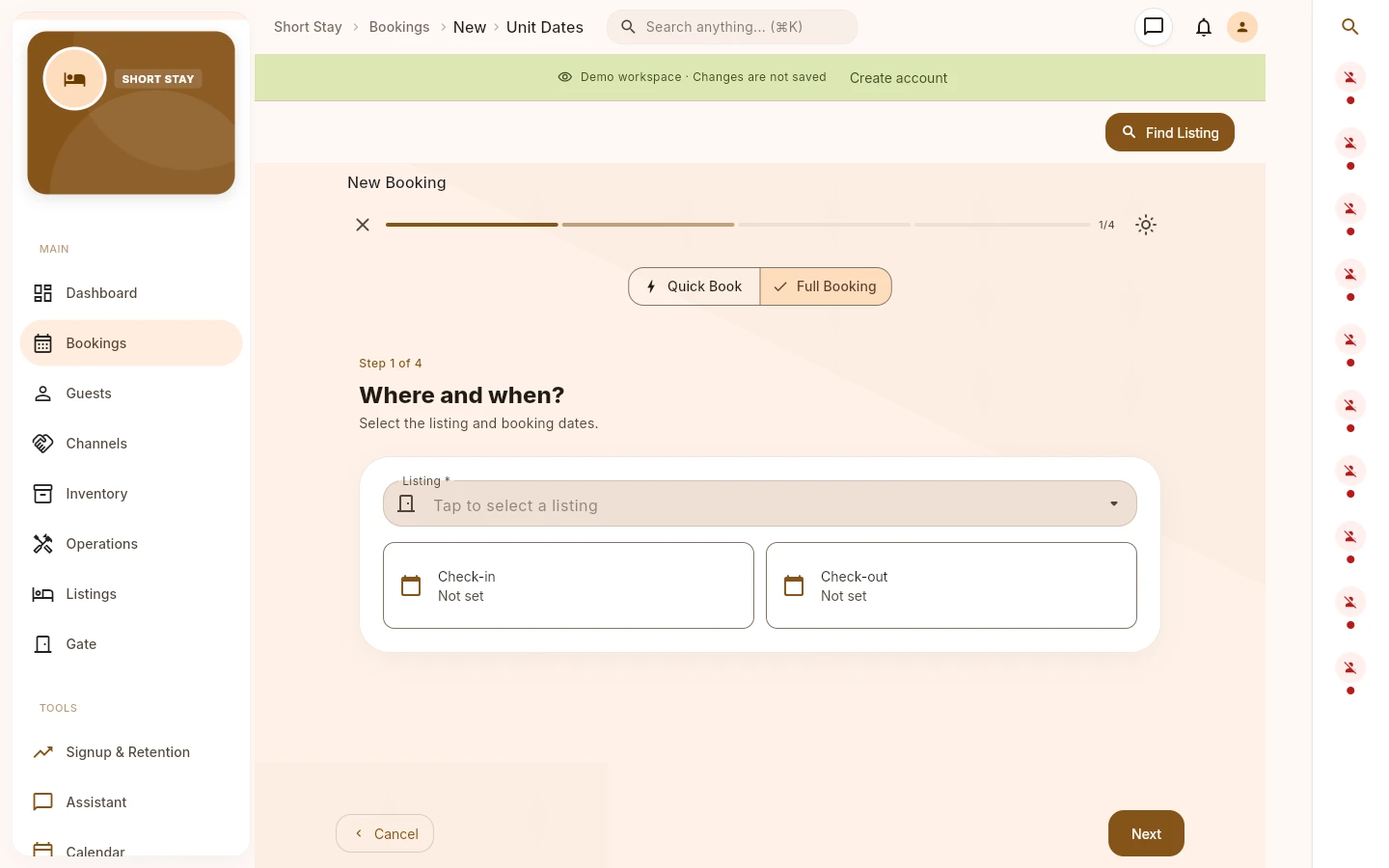
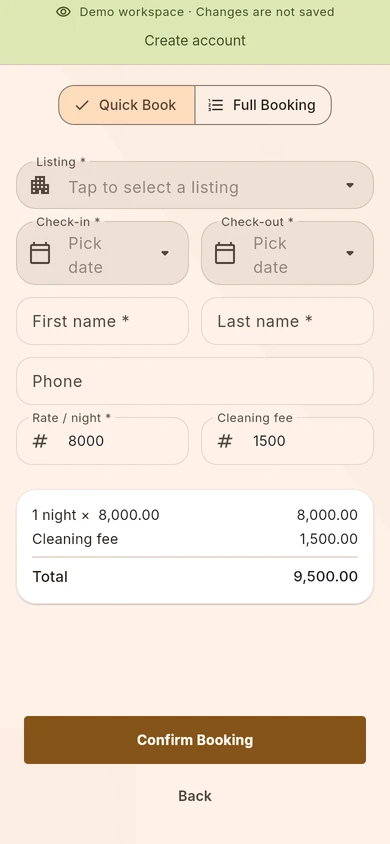
Give every booking a clear start.
Choose a listing and check-in and check-out dates in a guided booking flow, with quick and full booking options.
Actual TallyDue web app · Demo data
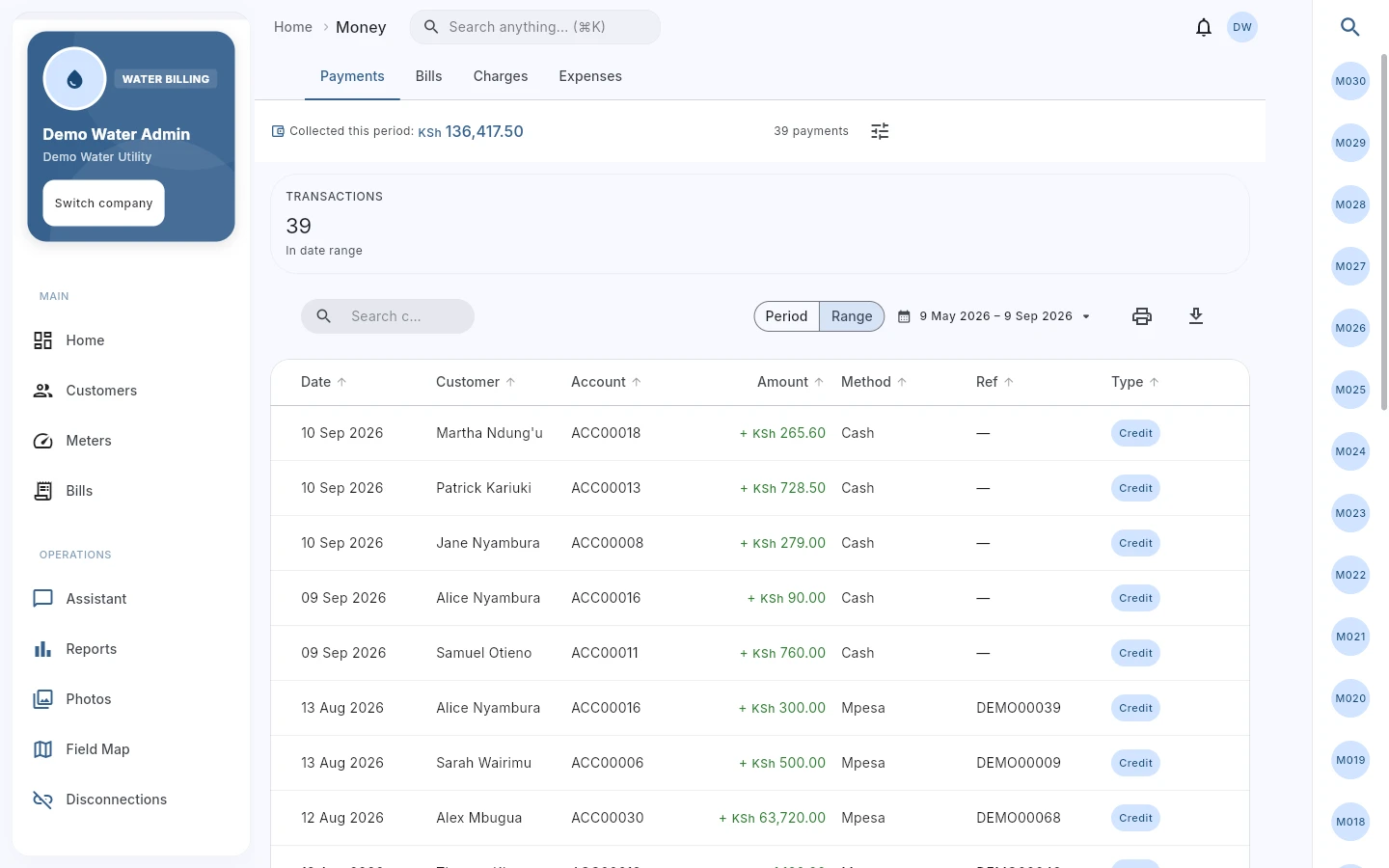
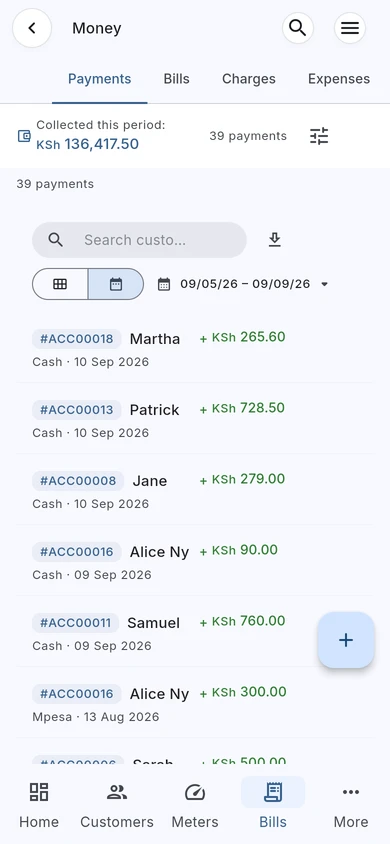
Follow the payment back to the account.
Review payment records and references in Money, with customer and billing context close at hand.
Actual TallyDue web app · Demo data

Why this matters
Kenyan billing teams often collect across mobile money, cash, bank transfer, and manual records. The review workflow has to stay clear.
TallyDue supports payment review as part of the water and property workflow. Company settings can expose M-Pesa, M-Pesa manual, cash, cheque, bank transfer, mobile money, Airtel Money, PostaPay, and other payment methods depending on configuration.
- Review payment records beside customer, account, tenant, unit, bill, or invoice context.
- Use references and status fields to reduce manual reconciliation confusion.
- Separate what is paid, unpaid, failed, pending, or needing review where those states are available.
- Keep rent and water billing records under one product when the same team manages both.
Payment workflows covered
| Water payments | Review payment-related billing views, customer accounts, water bills, payment methods, and bill status context. |
|---|---|
| Rent payments | Record or review rent payments with tenant, unit, amount, method, reference, and status where the user role allows it. |
| Invoices and bills | Open bill or invoice records to check previous balance, current charges, payments received, and balance due. |
| Payment references | Store and review reference or proof details requested by the form so finance teams have a traceable record. |
| Failed or pending review | Use payment status views where available to focus attention on records that need action. |
| Reports | Use finance, bill, and payment reports to support end-of-period review. |

Use cases
Water operators can review payments against customer accounts, meter-linked bills, and billing period records.
Property teams can review rent payments against tenants, units, invoices, balances, and charge records.
Mixed operations can keep water billing and property payment review in one product instead of managing two disconnected sets of records.
TallyDue for iOS, Android, and web
At your desk.
On your phone.
With your team.
Review payment references alongside account and billing records from your phone or desk. Access TallyDue on iPhone, Android, and the web.
iPhone & iPad


Scan for the App Store
Android


Scan for Google Play
Show download QR codes
iPhone & iPad
Android
Working from a computer? Open TallyDue on the web ↗
Related pages and guides
Questions teams ask
Does TallyDue force one payment method?
No. Payment methods depend on company configuration. The app can expose different methods depending on how the company is set up.
Can TallyDue match every payment automatically?
This page does not promise automatic matching for every payment. The important workflow is review: payment method, reference, amount, account, bill, invoice, tenant, unit, and status should be visible to the team.
Can rent and water payments be reviewed together?
Yes. TallyDue includes water billing and property workflows, which helps teams that need both views under one operational product.